Stop Walking the Lot. Start Posting in Minutes.
ListFlow scans your dealership inventory, flags what needs posted, and helps you create Facebook Marketplace listings in about 60 seconds. Built by a working car salesperson.

30 of the 39 cars I sold in my best month came from Marketplace. I built ListFlow because I was tired of screenshotting inventory, typing the same specs over and over, and forgetting which cars I'd already posted.
Logan, Founder of ListFlow · 11 years on the floor
How ListFlow Works
From dealership inventory to live Marketplace listing in about 60 seconds. Four steps, all of them controlled by you.
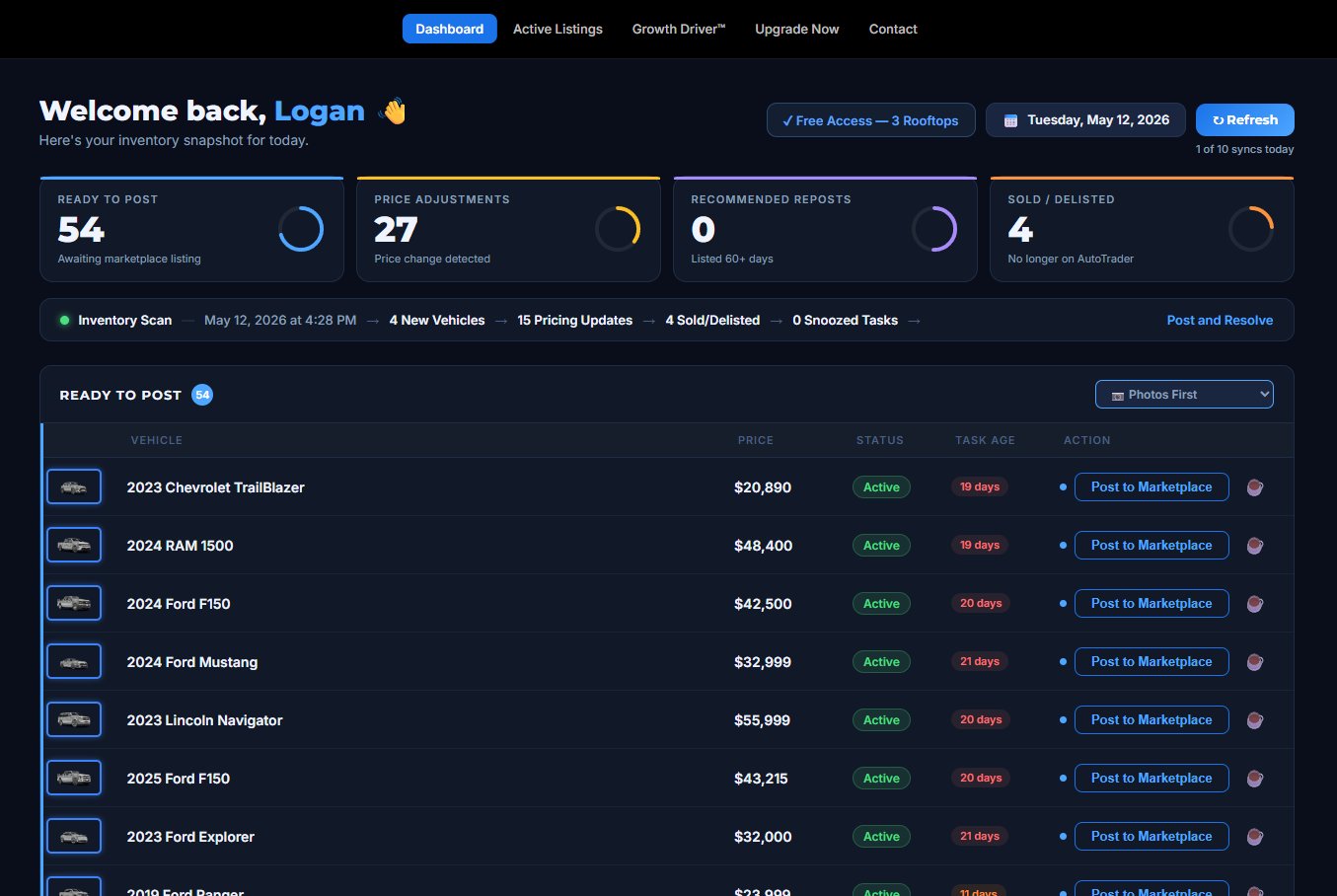
Your Dashboard Knows What Needs Posting
Click Refresh once a day. ListFlow scans your AutoTrader inventory and sorts your work for you.
- New vehicles ready to post
- Price changes that need updating
- 60-day reposts coming due
- Sold vehicles that need delisting
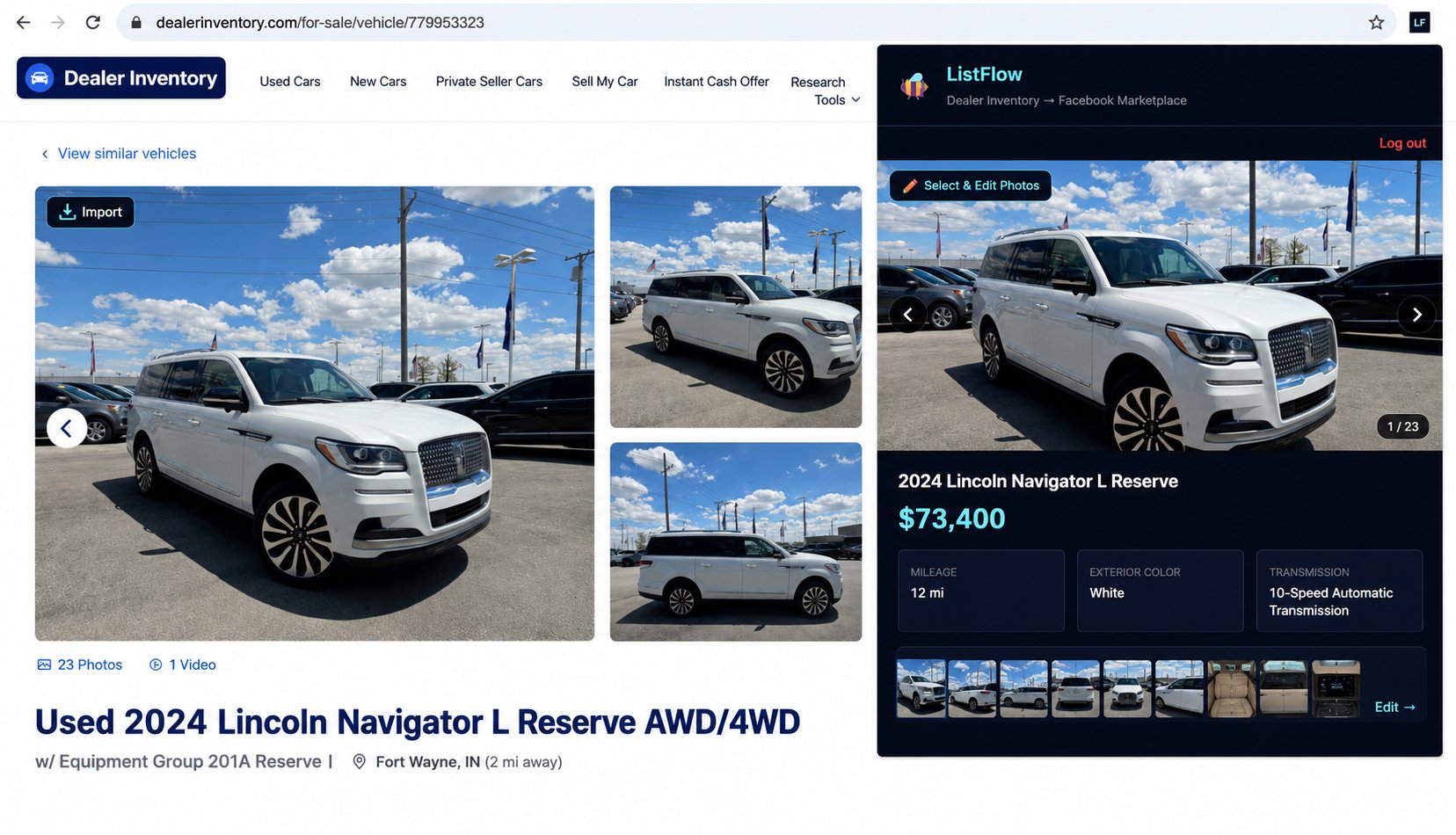
One Click to Import the Vehicle
Click any vehicle from your Ready to Post list. ListFlow opens it on AutoTrader and pulls the photos, year, make, model, mileage, and specs into the extension panel.
No screenshotting. No retyping. No tab juggling.
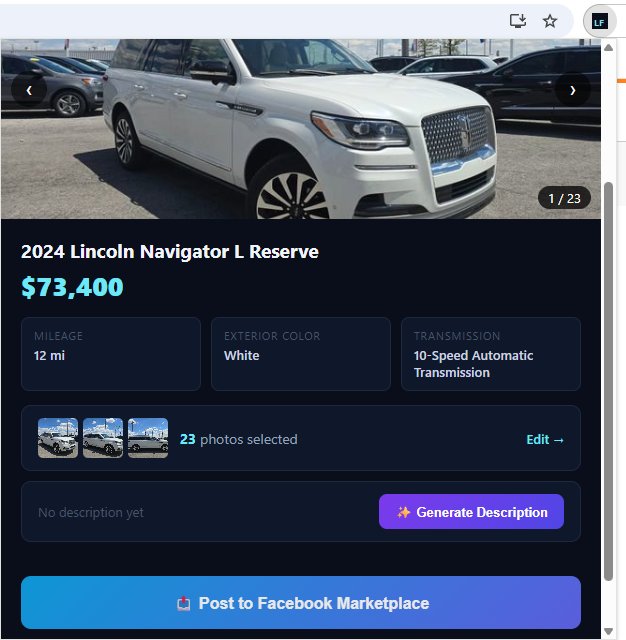
Review and Customize
The photos, price, mileage, details, and AI-generated description are all pre-filled and right in front of you. Crop and reorder photos, edit any field, swap to a different description style if you want, then move on when it looks right.
This is the first of two review checkpoints. You decide what gets posted.
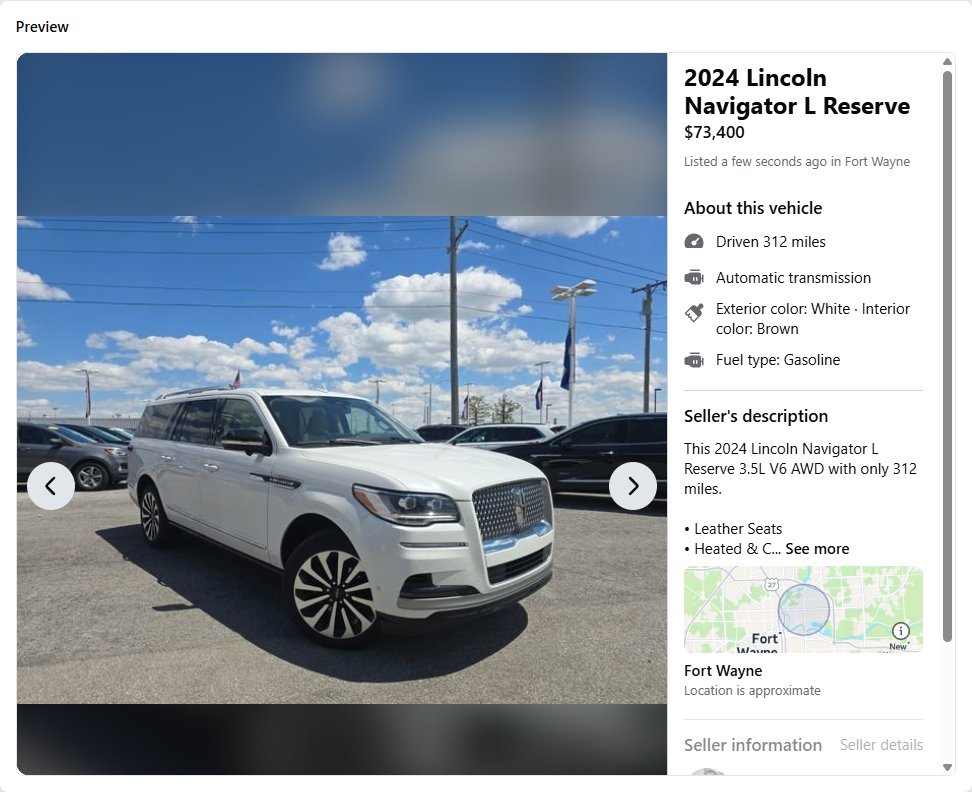
Final Review on Facebook, Then You Post
Facebook's own Marketplace form opens pre-filled with everything: photos, year, make, model, price, mileage, description, location. Look it over one more time, then click Post yourself.
ListFlow never publishes without your click. This is your second checkpoint. You're in control of every listing that goes live.
Built for Real Dealership Workflows
Posting is just the start. ListFlow tracks every listing after it goes live and keeps your Marketplace in sync with your lot.
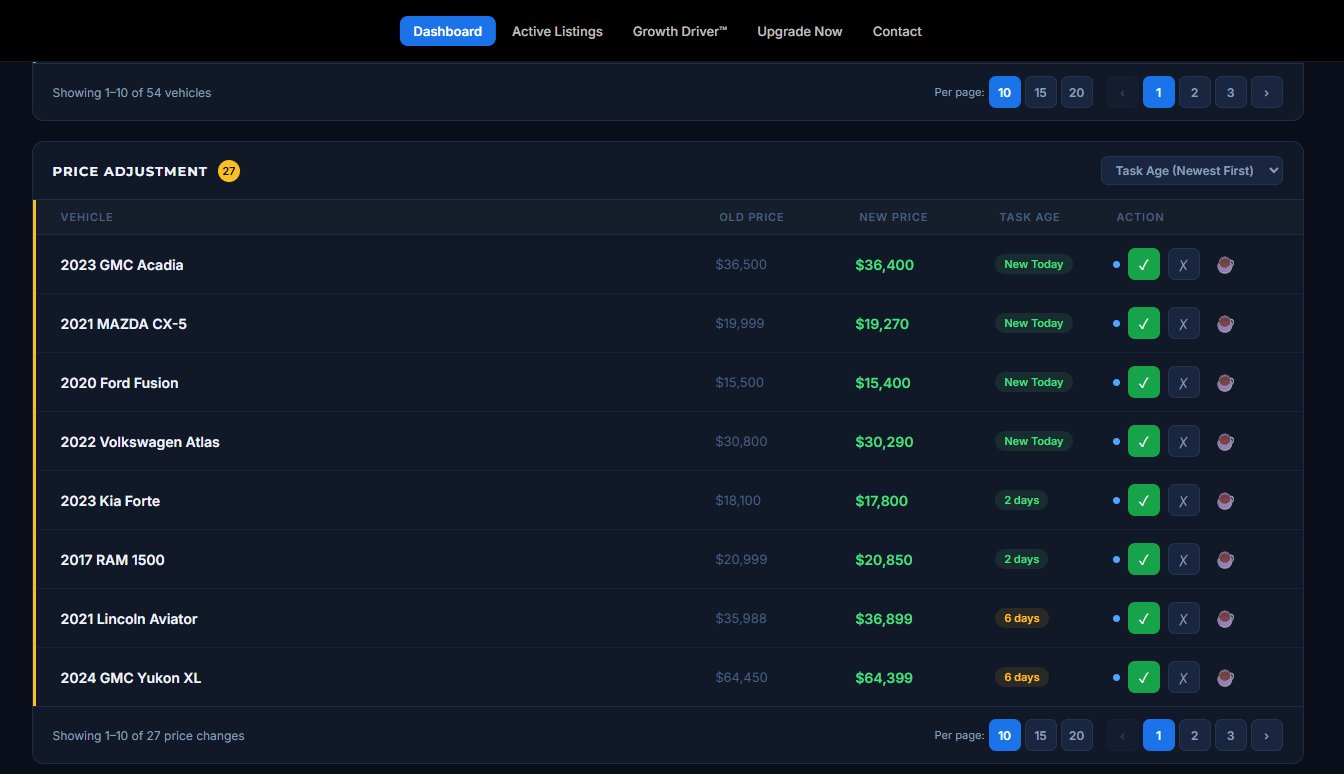
Price Changes Caught Automatically
When prices change on AutoTrader, ListFlow flags it so your Marketplace listings stay accurate. Approve the update with one click.
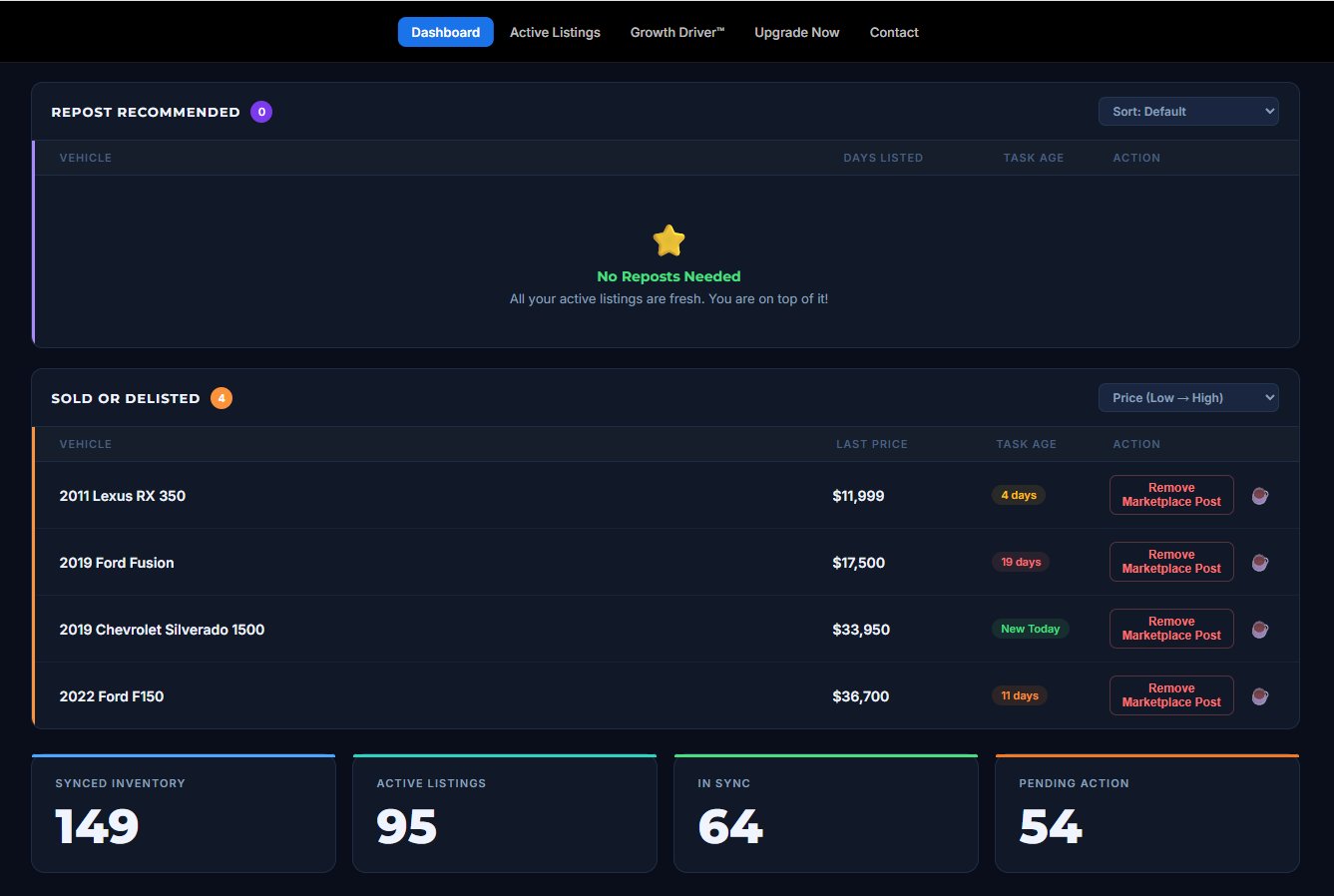
Sold Vehicles Flagged Instantly
Know the second a vehicle disappears from inventory. Remove outdated Marketplace listings before a buyer messages you about a car that's already gone.
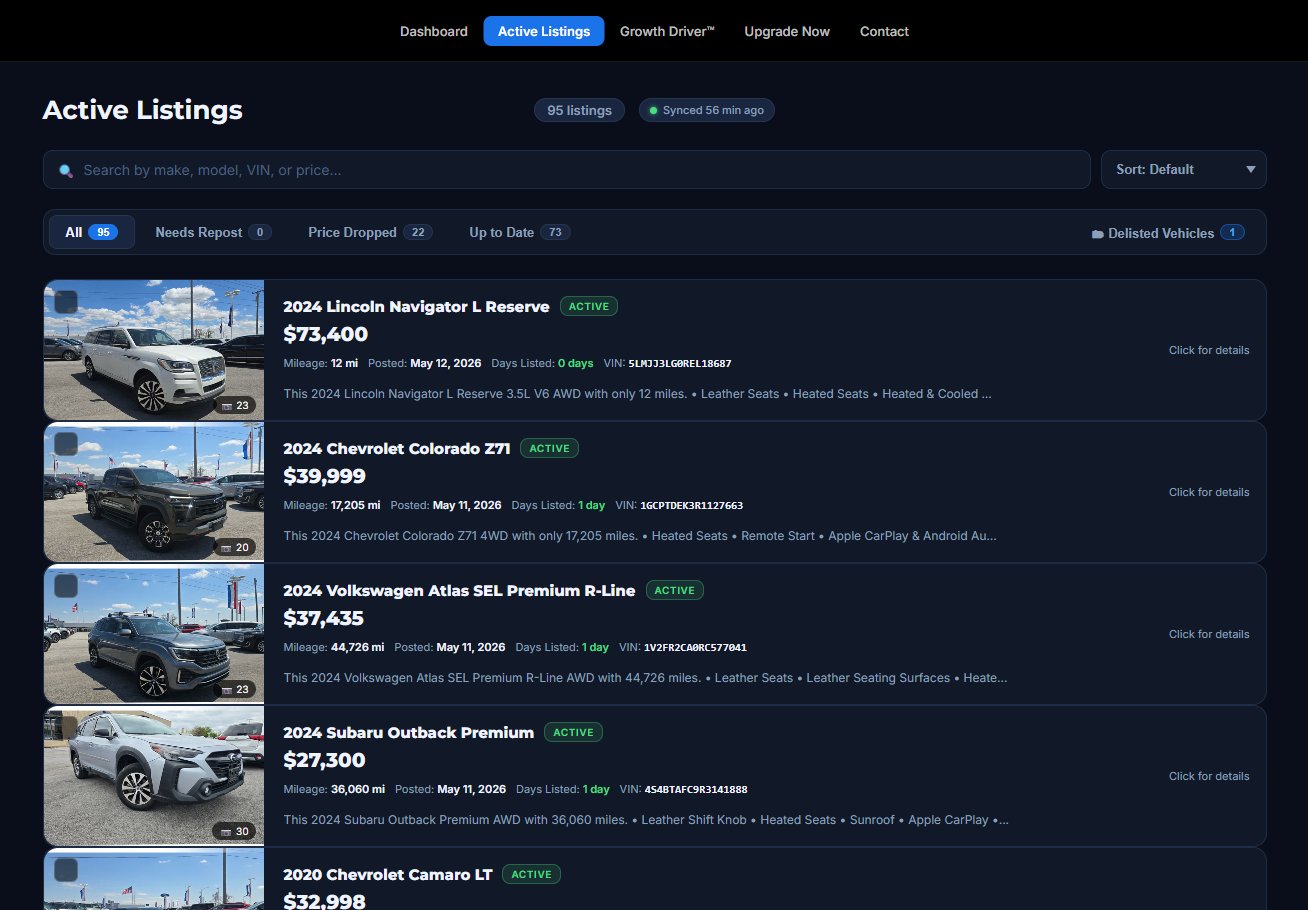
Every Listing Tracked in One Place
Search and filter every Marketplace listing by make, model, VIN, or status. See days listed, price drops, and which ones need a repost.
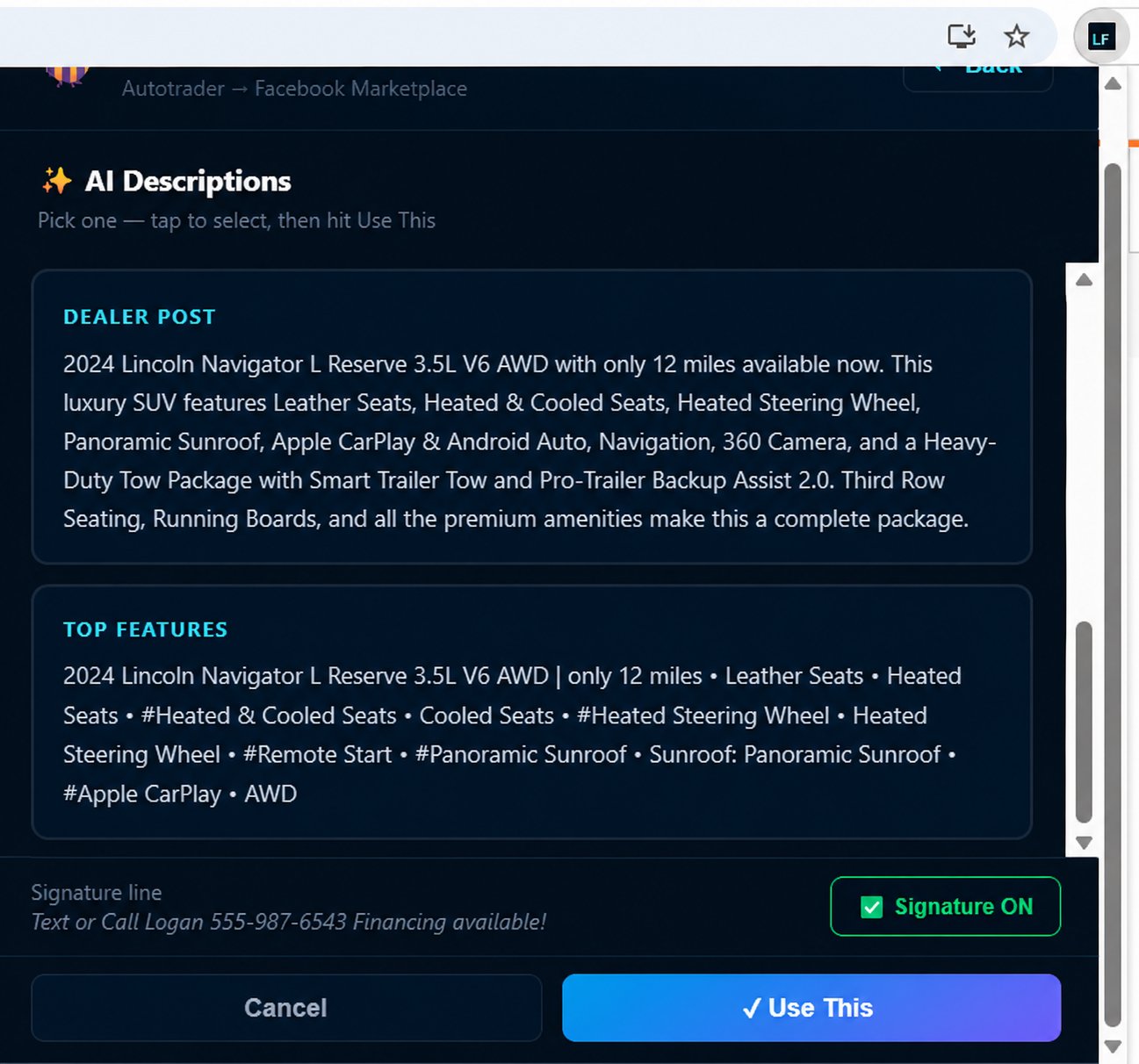
AI Descriptions in Your Voice
Five description styles built for car sales: Professional, Marketing, Seller Story, Dealer Post, and Top Features. Set your default in settings and every listing comes pre-written, or swap styles per-vehicle in the extension. Each one ends with your custom signature line.
Manage Up to 3 Dealerships
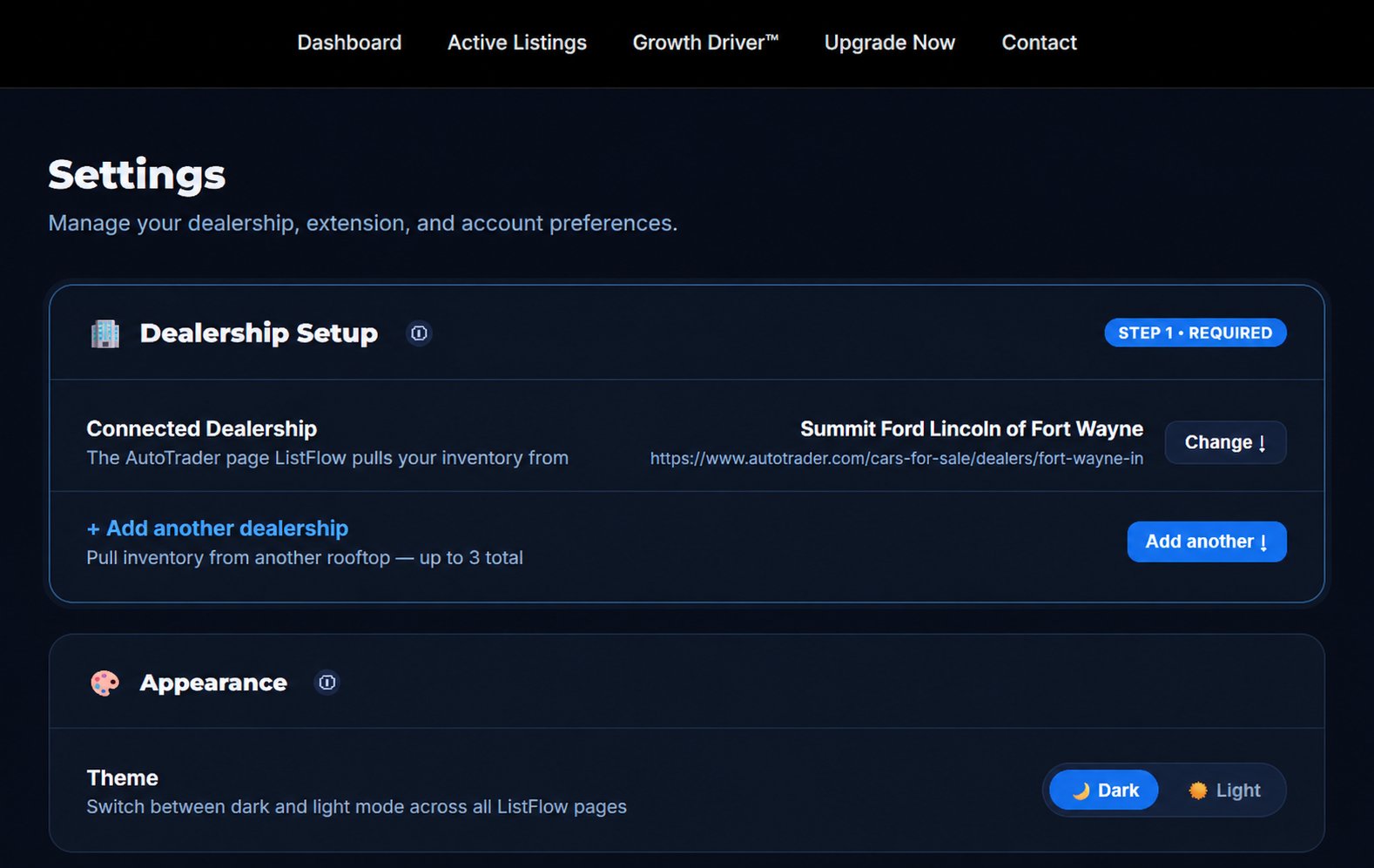
Whether you sell at one store or run inventory for a small group, ListFlow handles up to three AutoTrader feeds from one dashboard. Switch between rooftops without losing your place.
Before ListFlow vs With ListFlow
What changes when you stop posting cars one-by-one by hand.
The old way
- Walking the lot every morning
- Taking phone photos of inventory
- Typing the same description 10 times
- Forgetting which cars sold
- Missing price changes for weeks
The new way
- Inventory syncs from AutoTrader
- Photos and specs import in one click
- AI descriptions in your voice
- Sold cars flagged automatically
- Price changes caught the same day
Setup Takes About 2 Minutes
You don't need an IT department. Three steps and you're posting.
Install the Extension
Add ListFlow from the Chrome Web Store.
Connect Your AutoTrader Page
Paste your dealership's AutoTrader URL.
Click Refresh
Your inventory loads and you're ready to post.
Common Questions
Do I need to give you my Facebook or AutoTrader password?
No. ListFlow works inside your own logged-in browser session on those sites. We never see, store, or transmit your login credentials.
Does ListFlow post to Facebook on its own?
Never. ListFlow fills in the Facebook listing form for you, but you always click Post yourself. You review every listing before it goes live.
How long does it actually take to create a listing?
About 60 seconds per car once your inventory is loaded. The slow part of posting is gathering the info; ListFlow handles that for you.
Can I edit everything before posting?
Yes. Twice. Once inside ListFlow when you import the vehicle, and again on Facebook's own form before you click Post. Two review checkpoints.
Does this work with my dealership's inventory?
If your dealership has an AutoTrader inventory feed, ListFlow works. That covers most U.S. franchise dealers and a large share of independents.
Does this work for multiple dealerships?
Yes. ListFlow supports up to 3 rooftops on one dashboard, with separate inventory tracking for each.
Will this get me banned from Facebook?
No. ListFlow never auto-posts. You always click Post yourself on Facebook's own form, using your own browser session. We don't bypass any Facebook process, we just save you the typing.
Ready to Stop Walking the Lot?
Built by a working car salesperson. 10 free listings to test it, no credit card required.
Start FreeNo credit card required • 10 free listings • Cancel anytime